Should you choose a website platform before hiring a web designer?
How to know when to bring in a designer first, before choosing your website platform.

You've opened a free trial, bookmarked a few templates, and told yourself you're finally getting your website sorted.
Then the wobble begins.
Squarespace looks polished. Wix looks flexible. Rocketspark sounds straightforward. For about twenty minutes, everything seems possible. Then you realise you still do not know which platform actually fits your business, or whether you should be choosing at all before speaking with a designer.
I’ve sat with enough business owners at exactly this stage to know the wobble isn’t a sign you’re behind. It’s usually a sign you’re paying attention.
Most platform comparisons frame the decision as choosing a winner between tools. What they often miss is the question many business owners are really sitting with: should I be making this decision alone before any design conversation has happened?
That’s what this guide is for.
This is written for service-based, creative and place-based business owners weighing up Squarespace, Wix or Rocketspark, who want a site that feels intentional rather than pieced together, and who aren’t yet sure whether to decide alone or ask for guidance first.
The most helpful belief shift here is this: you do not make the best platform decision by choosing quickly. You make it by getting clear on what your website needs to hold.
Should you choose your platform before hiring a designer?
Many business owners assume they need to pick a platform first so they can move forward.
Usually, the opposite is true.
A thoughtful decision is less about which one looks nicest and more about which one can hold my business well without creating friction later.
When deciding early makes sense
Choosing your website platform before hiring a designer can work well when your needs are already simple and clear.
It may make sense if:
❃ you know what pages and functions you need
❃ you’re comfortable editing the site yourself
❃ your website is unlikely to need complex custom features soon
❃ you have used the platform before and liked it
❃ your offers, services and content structure are already clear
In those cases, choosing first can genuinely save time, bring budget clarity, and reduce early decision fog.
There are real benefits here:
Speed: you can begin sooner
Budget clarity: you can see likely platform costs early
Familiarity: you may already understand the editor
Confidence: it can make the project feel less slippery
The key is that the platform needs to genuinely fit your business, not just look appealing during the trial.
When choosing too early creates more work
Regret tends to show up in a few familiar patterns.
Template appeal versus business fit.
A homepage can look lovely in a demo and still tell you very little about enquiry flow, booking setup, mobile behaviour, blog structure or long-term maintenance.
I think of a client who committed to a platform during its trial period. It looked right immediately. Months in, she realised her business needed features it simply couldn’t offer long term.
The issue wasn’t that she had made a careless choice. The issue was that the platform had been judged on first impression, not future fit.
“Easy to use” can mean different things.
Most people say they want a platform that is easy to use.
What they often really mean is:
❃ easy to update without breaking the design
❃ easy to understand six months after launch
❃ easy to keep visually consistent
❃ easy for a team member to use
❃ easy to grow without rebuilding everything
That is a much more useful measure than whether the dashboard feels friendly on day one.
Switching later can cost more than money
Re-platforming costs time, not just money.
One client had been wrestling with WordPress for months (plugins, updates, layouts that never quite looked right) before I moved them onto Rocketspark for something simpler.
The switch was the right call. It still wasn’t instant, and it wasn’t free.
Sometimes moving platforms is absolutely worthwhile. But it is far kinder to your future self to pause before committing deeply to the wrong setup.
Too much freedom can quietly work against you
Flexibility sounds helpful, and sometimes it is.
But without guardrails, flexibility can become its own kind of friction. Spacing drifts. Page hierarchy blurs. Buttons start behaving differently. Each page makes sense on its own, but the site as a whole stops feeling coherent.
If you’ve ever thought, “I can edit this, but I can’t make it feel coherent,” that is usually a structure problem, not a creativity one.
A quick look at Squarespace, Wix and Rocketspark
For many service-based businesses, these three platforms sit in a useful sweet spot:
manageable setup
non-technical usability
professional presentation
ongoing editability
I hold Gold Squarespace Circle Member status and am a recommended SquareForge coach, so what follows comes from hands-on build experience, not just reading feature lists.
This is not a full feature-by-feature comparison. It is a decision-timing guide: a quick way to see whether one platform is already an obvious fit, or whether it is worth speaking to a designer before you commit.
My Honest Take on Squarespace, Wix & Rocketspark
When I choose a platform for a client, I don’t start with what’s trendy. I start with their business rhythms, their future plans, and how hands-on (or hands-off) they want to be with their site.
| Platform | Often best for | Strengths | Watch-outs | Support style |
|---|---|---|---|---|
| Squarespace | Design-led service businesses, studios, portfolios and content-led sites | Strong visual cohesion, polished templates, good built-in structure | Can feel limiting if you need unusual functionality or very bespoke customisation | Large knowledge base and broad community support |
| Wix | Hands-on DIY businesses, varied feature needs and flexible page building | Flexible editor, broad app ecosystem, useful for businesses wanting more control | Easier to create inconsistency or clutter without a clear structure | Large platform support ecosystem |
| Rocketspark | NZ small businesses, service brands and simpler brochure-style sites | Straightforward backend, local support, lower-friction editing for many users | Less suited to highly complex or heavily customised functionality | NZ-based support, often appealing for local businesses |
If you already know it’s between Squarespace and Rocketspark and want the deeper, wellness and creative-business-specific breakdown, that is covered in full in our Squarespace vs Rocketspark NZ comparison guide.
This post stays focused on a different question: whether to decide alone.
Platform notes: Squarespace, Wix and Rocketspark
Squarespace
Choose Squarespace if you want visual cohesion and a polished, structured feel.
It often suits:
❃ design-led service businesses
❃ studios
❃ consultants
❃ photographers
❃ creatives
❃ content-led brands
❃ businesses that want a refined visual presence without a highly technical backend
Squarespace is especially useful when you want your site to feel consistent from page to page. Its built-in sections and styling options give you an excellent starting point to help keep the design feeling calm and cohesive.
Where possible, lean on its built-in blocks and styling tools before reaching for custom code or code injection.
Pause before choosing Squarespace if you expect heavy custom functionality, unusual integrations or highly bespoke behaviour.
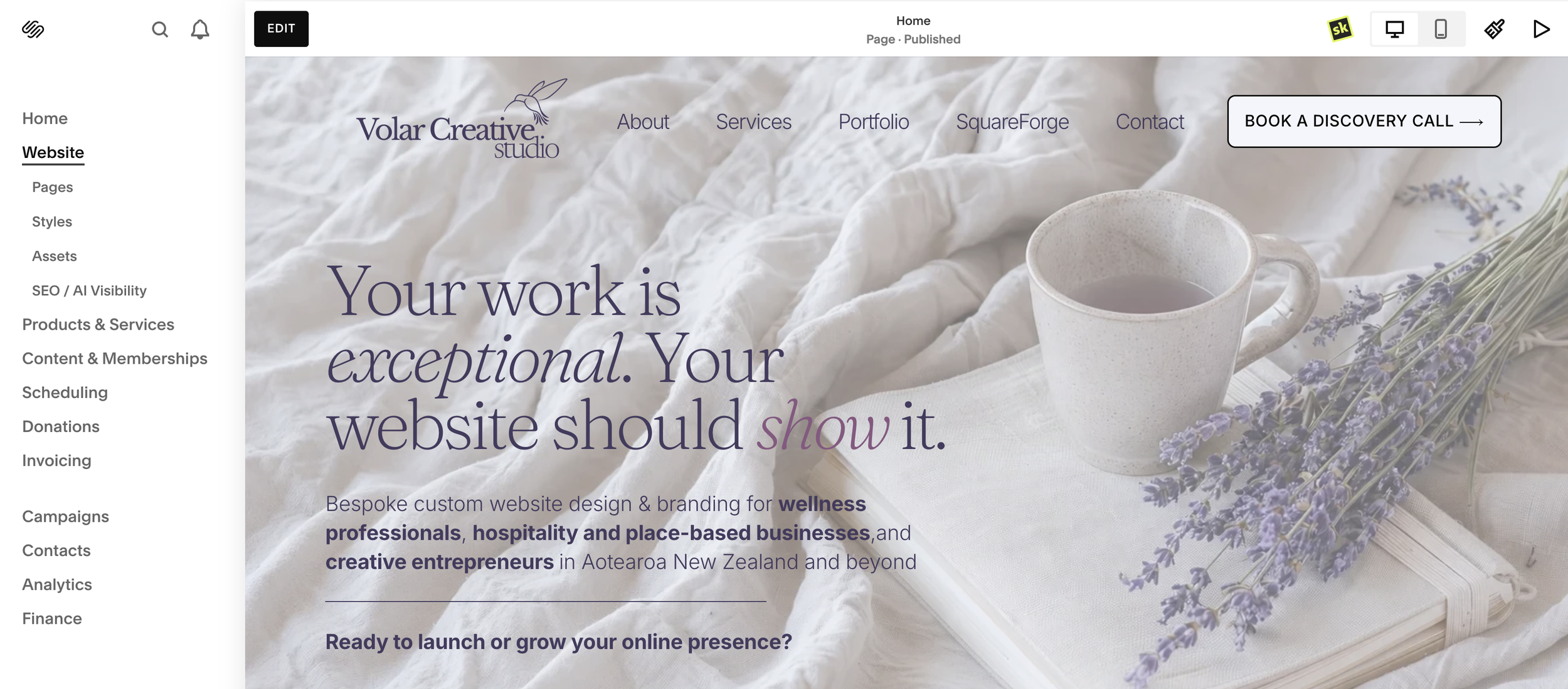
Example of a backend dashboard of a Squarespace site
Wix
Choose Wix if you want flexibility and access to a wider app ecosystem.
It often suits:
❃ hands-on DIY business owners
❃ businesses with varied feature needs
❃ people who want more control over layout
❃ sites that may benefit from extra apps or integrations
Its strength is flexibility. Its risk is also flexibility.
If you want the platform to reduce decisions, not multiply them, Wix may feel overwhelming without a clear plan.
Pause before choosing Wix if too many options already make you second-guess yourself, or if you know you need stronger design guardrails.
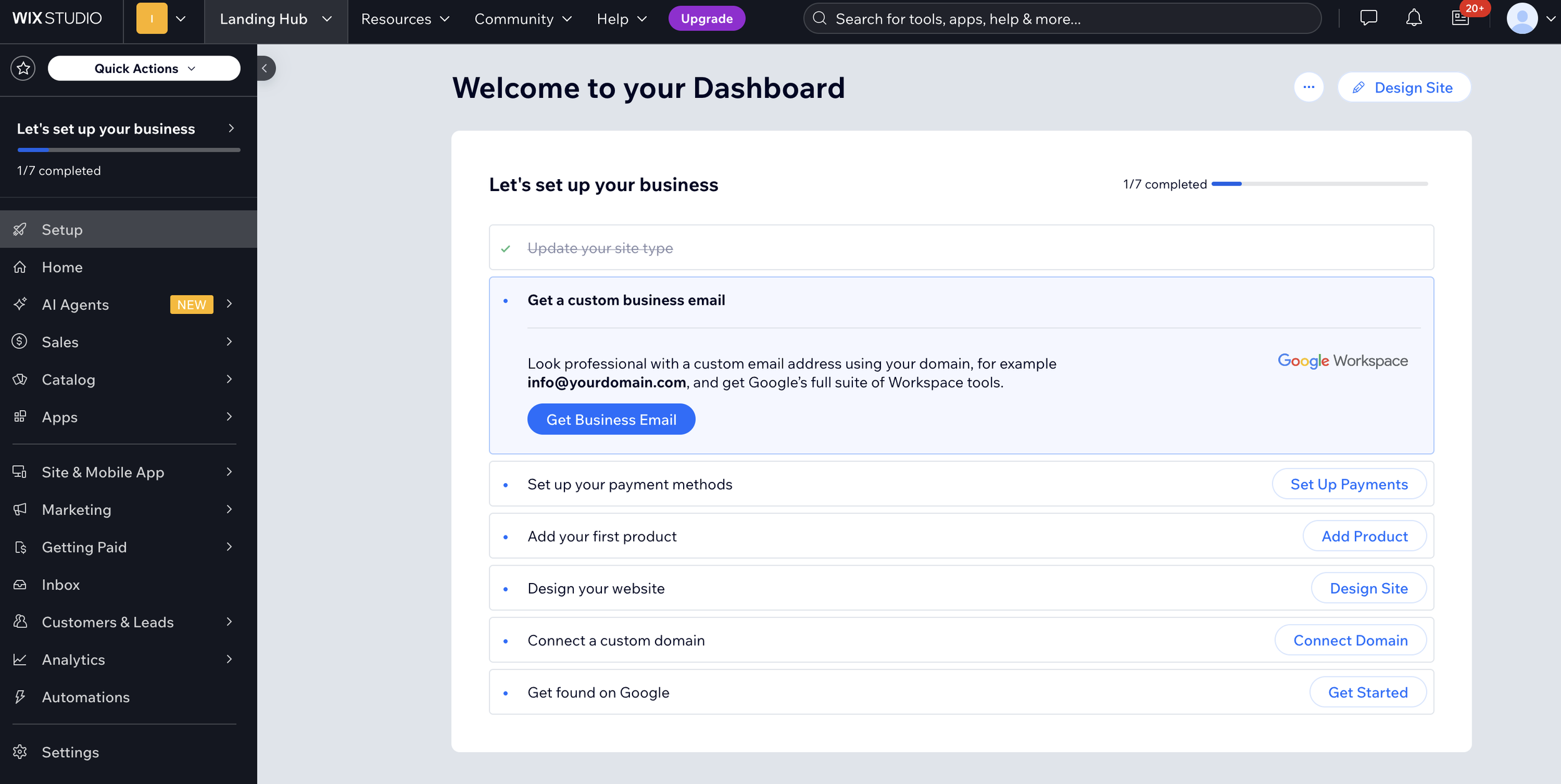
Example of a backend dashboard of a Wix site
Rocketspark
Choose Rocketspark if you want simplicity, NZ-based support and a practical day-to-day editing experience.
It often suits:
❃ New Zealand small businesses
❃ local service providers
❃ place-based brands
❃ professional services
❃ businesses that want a manageable backend
❃ owners who value support closer to home
Rocketspark’s plans scale in clear steps, which can make the platform feel easier to understand for many small businesses.
Pause before choosing Rocketspark if your growth plans are likely to outpace a simpler setup, or if you expect highly advanced functionality.

Backend of the Rocketspark User-Interface
What about WordPress or Shopify?
WordPress can suit businesses needing heavy customisation, a larger plugin ecosystem or a more developer-shaped setup. The trade-off is that it often comes with more maintenance, more moving parts and more technical responsibility.
Shopify is worth considering when e-commerce is the main job of the website.
If your site primarily needs to:
❃ sell products
❃ manage inventory
❃ support a growing online shop
❃ handle product-led workflows
… then Shopify may be the stronger path.
If your site is mainly there to:
❃ explain services
❃ generate enquiries
❃ build trust
❃ support bookings
❃ help people understand whether you are the right fit
… then Squarespace, Wix and Rocketspark are often the more relevant comparison.
It’s also worth noting that all platforms continue to change. Squarespace’s 7.1 editing experience keeps evolving, and Rocketspark’s plan features may shift over time. Always check current features before relying on an older comparison post, including this one.
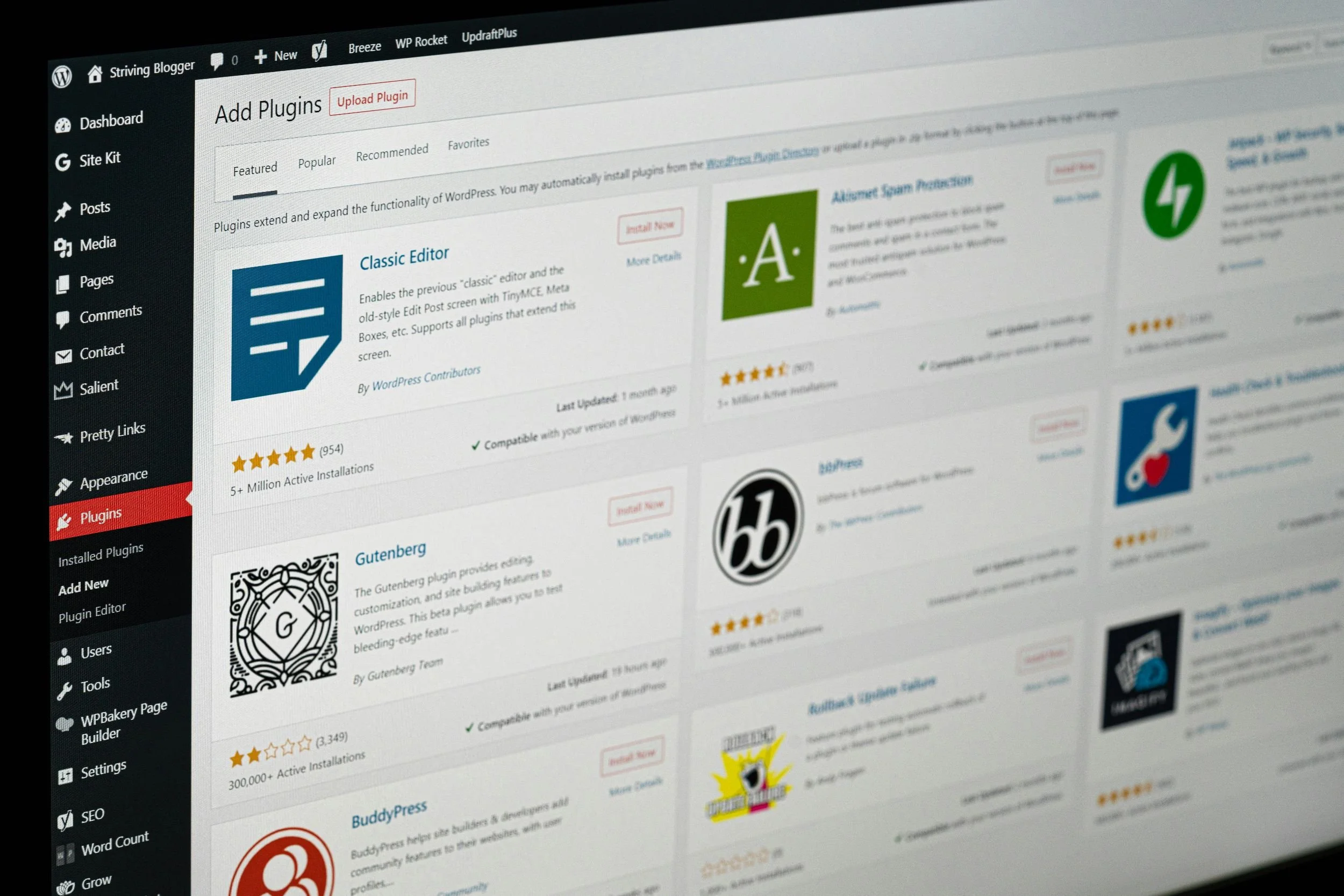
Backend of the Wordpress User-Interface
Who actually owns your content?
This is worth knowing before you subscribe, not after you've decided to leave.
On Squarespace, your written content and standard pages export reasonably well if you ever need to move; Squarespace produces a genuine export file compatible with WordPress. Galleries, event pages and some of the fancier blocks don't come across, and your design, templates, fonts and spacing never transfer, on any platform. You're taking your words with you, not your site.
Wix and Rocketspark are both more closed by design. Neither offers a way to export your page content or layout in bulk; Rocketspark is explicit that it's a proprietary system with no file downloader, so leaving means manually copying text and images across yourself. Both do let you export product, order and customer data as CSV files if you're running a store, that part isn't the problem.
WordPress sits apart from all three: because you own the actual files and database, your content, design and structure are all portable by default. Moving hosts doesn't mean rebuilding.
None of this should decide your platform on its own. But if there's a real chance you'll outgrow your first choice, it's worth knowing upfront whether leaving well means an afternoon of copying, or a full rebuild.
Why talking to a designer first pays off
DIY is genuinely possible on all three platforms.
The value in a short conversation first isn’t that you can’t figure it out alone. It’s that a designer already knows the parts you would otherwise learn the hard way, and can guide you past them before you commit.
It catches what a free trial will not show you
A free trial can show you what the editor looks like. It cannot always show you what it will feel like to manage the site after launch, or whether the plan you are choosing will still fit in a year.
Squarespace’s 7.0 and 7.1 versions edit differently. Rocketspark’s plans scale in ways that may not be obvious until you have outgrown one. Wix gives you flexibility, but that flexibility still needs structure.
None of that always shows up in a fifteen-minute trial account.
Before you sink a weekend into a trial account, test one task you know you’ll do regularly: publishing a blog post, updating a price, or adding a booking slot.
That single task tells you more about day-to-day fit than exploring the whole editor.
It translates your business goals into platform features
You know your business.
You do not necessarily know which platform feature maps to:
“I want people to book a consultation without emailing back and forth”
“I want to update my services without breaking the page”
“I want to sell a small number of products without building a full e-commerce machine”
“I want my site to be easy for my team to update later”
That translation is most of what a planning conversation actually does.
It is also worth real money. Every enquiry that needs three back-and-forth emails instead of booking itself is time you are not spending on client work.
It is usually cheaper than the mistake it prevents
The WordPress-to-Rocketspark switch mentioned earlier cost real investment. It would have cost less as a twenty-minute conversation at the start.
That does not mean every business needs a full custom build. Often, they don’t. But a short planning conversation can help you avoid choosing a platform that quietly works against the way your business actually runs.
It does not ask for a big commitment
A single planning conversation can tell you whether you are about to make a solid decision, even if you go on to build the site yourself.
You will know, not guess, that the platform can hold what you are building.
That is a steadier kind of confidence than crossing your fingers on a free trial.
Five questions to ask before you subscribe
Before you compare platforms feature by feature, list every task you need the site to do in a plain document.
That turns a vague question “Which platform is better?” into a concrete checklist you can hold each option against.
1. What does my website need to do in the next 12 months?
Start with function, not aesthetics.
Your list might include:
❃ enquiries
❃ bookings
❃ products
❃ blogging
❃ portfolio work
❃ email marketing
❃ local SEO
❃ team updates
❃ event information
❃ gift vouchers
❃ resource downloads
Do not let a template answer this for you.
If you want to check current plan pricing before that conversation, Squarespace and Rocketspark both publish their plans directly on their own sites. It is worth reviewing those before you commit to a tier.
2. How involved do I want to be after launch?
Be honest about how much you want to manage yourself.
Ask:
❃ Will I update this weekly, monthly or rarely?
❃ Do I want to publish blog posts?
❃ Will I change prices or service details often?
❃ Do I want a team member to help manage it?
❃ Would I rather hand bigger updates back to a designer?
A platform that is powerful but draining is not a good long-term fit.
3. What matters most: flexibility, visual structure or simplicity?
This single filter clears a lot of fog.
Flexibility: look closely at Wix
Visual cohesion and structure: look closely at Squarespace
Simplicity and NZ-based support: look closely at Rocketspark
You do not need the platform that does everything. You need the one that does your essentials well.
4. What will this site need to do a year from now?
Short-term decisions become long-term wisdom here.
Consider whether you may later need:
❃ online bookings
❃ a shop
❃ more services
❃ team access
❃ a larger blog or resource library
❃ more advanced integrations
❃ better reporting
❃ a clearer lead-generation pathway
The right platform does not only fit the business you have today. It should also support the next sensible stage.
5. Am I choosing this because it fits, or because I’m tired of deciding?
This question catches a lot of expensive detours. If the main reason you are about to subscribe is relief, not fit, pause. The calmer choice is usually the stronger one.
If you are still hesitating after the five questions
If you have worked through all five and you are still hesitating, it might be one of two fears.
Fear 1: Choosing wrong and having to rebuild
This is real, but it is not always catastrophic.
Re-platforming rarely means starting from absolute zero. Often, your strategy, copy, imagery and page structure can still carry across. What it costs is time, rebuild effort and momentum.
That is why it is worth catching the issue early.
Fear 2: Decision paralysis
This usually means you do not need more research. You need a clearer picture.
Another weekend of trial accounts may only give you more tabs open and less certainty. A short planning conversation can often close that gap faster because it turns vague comparison into a practical recommendation.
Common mistakes, and the short version
The most common mistakes are:
❃ choosing the platform with the nicest-looking demo
❃ assuming “easy to set up” means easy to maintain
❃ deciding on a platform before clarifying offers and page goals
❃ focusing on desktop and forgetting mobile behaviour
❃ subscribing to the simplest plan without thinking about next year
Here is the short version:
❃ Choose Squarespace for visual polish and structure
❃ Choose Wix for flexibility
❃ Choose Rocketspark for simplicity and local support
❃ Consider WordPress for heavy customisation
❃ Consider Shopify if e-commerce is the site’s main job
❃ Book a short planning conversation before you subscribe if you are still unsure
A short planning conversation before you subscribe usually costs less than the mistake it prevents.
Frequently Asked Questions
-
No, not always.
If your site is simple and your needs are clear, DIY is a completely reasonable path. Where a designer earns their fee is catching the platform-specific quirks and future needs you cannot fully see from inside a free trial.
-
Not always.
The risk appears when the platform is chosen before the strategy, content or functionality are clear. The five questions above are the fastest way to check which camp you are in before you subscribe to anything.
-
Squarespace and Rocketspark are especially strong contenders.
Squarespace often suits businesses wanting a more design-led feel, while Rocketspark often suits straightforward management and local support.
Wix can also work well for business owners who want more flexibility and are comfortable making more hands-on design decisions.
For a deeper wellness and creative-specific breakdown, see our Squarespace vs Rocketspark NZ guide.
-
Do not panic.
The question is whether the friction you are feeling is a normal learning curve or a genuine fit issue. A short review call can usually tell the difference quickly, and it is a much smaller step than starting over.
-
Yes, and often that is the moment guidance is most valuable.
If you have narrowed it to two options, that is exactly the kind of question a short planning call can settle. It is a smaller ask than committing to a full build, and it can save you from building too far in the wrong direction.
-
Only if e-commerce, not enquiries or bookings, is the main job of your site.
If you are primarily selling products, managing inventory or building a product-led online store, Shopify may be the better fit. If your site is mainly for trust-building, service information, bookings or enquiries, Squarespace, Wix or Rocketspark may be more appropriate.
-
It is free, and it usually takes twenty to thirty minutes.
You will leave either confident in the platform you are already leaning towards, or clear on what to look at instead. There is no obligation to book anything further. The session stands on its own.
Final thoughts and your next step
A platform is the root system your website grows from.
It will not be visible to your visitors, but it decides how much your business can flourish above ground.
Choosing a website platform before hiring a web designer is not really about being early or late. It is about being clear enough to choose well.
The right platform should feel less like a gamble and more like a room your business can breathe in.
A platform planning session is often the most useful next step, and it is worth booking even if you are fairly sure you want to DIY.
The point is not to talk you into hiring a designer for the whole build. It is to make sure the platform you land on can actually hold what you need it to.
For a clearer next step, book your free platform planning session. We’ll look at what your website needs to do, how you want to manage it, and which platform can hold that with the least friction.
Let’s shape your website’s foundation with clarity rather than urgency.
Ready to feel confident in your choice of platform?
Send me a message to book your free platform planning session with me here, so your website's foundation is beautifully built to grow with you.